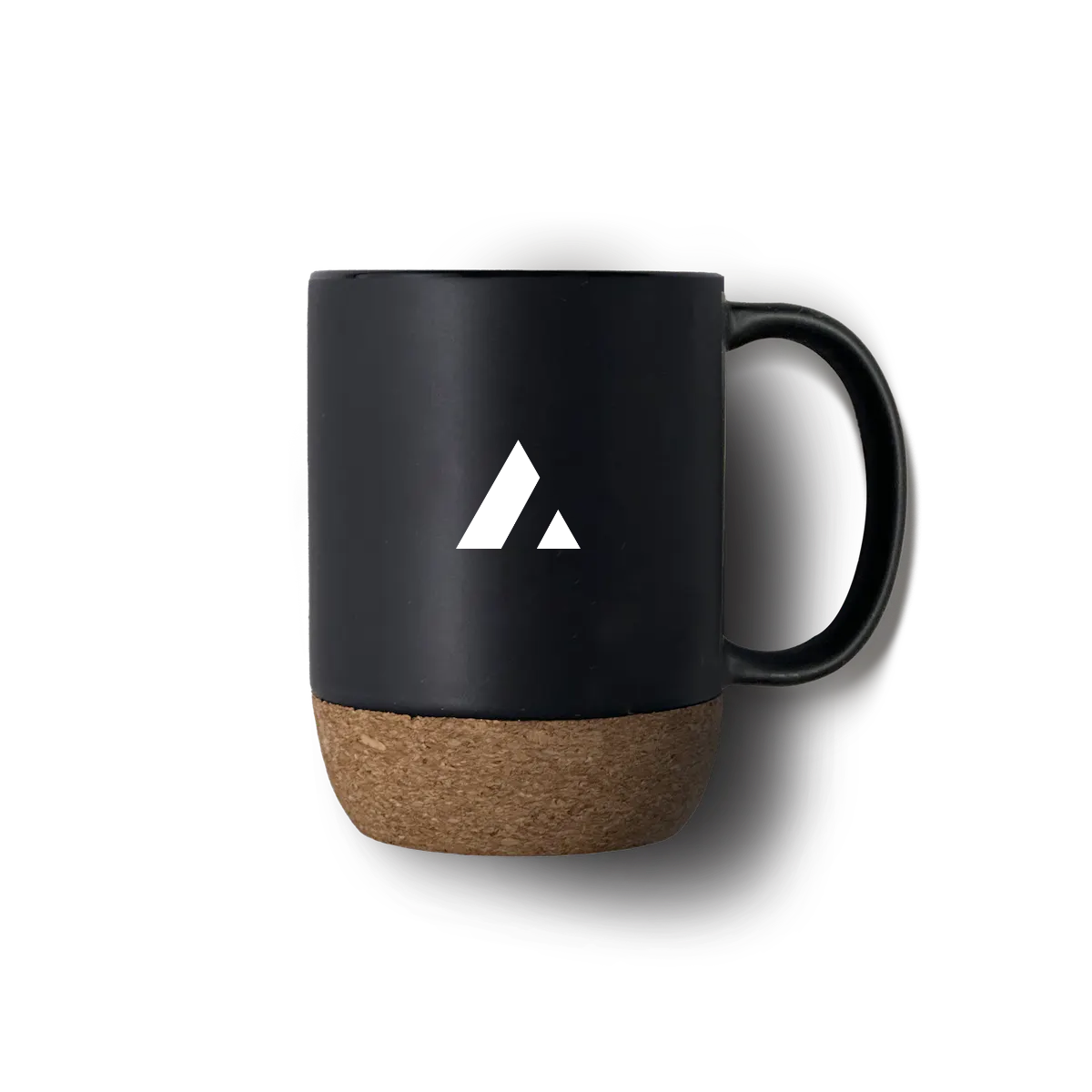
Keep the same product and factual claims. Generate each opening separately, then compare the full clips. These are short opening assets, not automatic batches or proven winning ads.
Same saved Acme product and reference photo; separate English requests. These are team demonstrations, not URL-import proof, customer endorsements or advertising performance tests.
This revision keeps the full presenter face and mug visible. Local automatic transcription matches the submitted dialogue; the key product features remain recognizable. This does not verify precise lip-sync or advertising performance.
Check the complete video against the exact submitted dialogue and scene instructions. Recognizable product appearance alone does not establish that every requirement passed.
English script and visual instructions
DIALOGUE
Want a simple desk style? Meet Acme.

VISUAL INSTRUCTIONS
One adult presenter introduces the exact reference Acme mug. Frame the presenter from the top of the head to the tabletop: the whole face, mouth and eyes must be visible throughout. The complete matte-black mug with its original white logo, tan cork-style base and right-side handle stands in the foreground. The presenter says only the Dialogue once, looking at the camera. Plain navy shirt, light-grey table, plain background. Fixed wide portrait composition, no close-up or zoom, no cuts. Keep the mug still and untouched. No other objects, added text, extra logos, music or unsupported claims. Five seconds.
A presenter introduces the mug on camera. Its matte-black body, tan base, right-side handle and white logo remain recognizable. Local speech recognition matched the requested English line. The video has no platform watermark; the white mark on the mug is the original product logo.
Check the complete video against the exact submitted dialogue and scene instructions. Recognizable product appearance alone does not establish that every requirement passed.
English script and visual instructions
DIALOGUE
Meet Acme. Matte black, with a cork-style base.

VISUAL INSTRUCTIONS
Create a realistic 5-second presenter-led ecommerce video using the exact Acme mug in the selected reference photo.

PRODUCT IDENTITY
The reference mug has a matte-black body, a warm tan cork-textured base, one curved handle on the viewer's right and a white geometric logo on its front. Preserve its silhouette, handle opening, rim, base height, colors and original logo throughout. Show exactly one mug. The base may be described as cork-style; make no claim about its actual material, insulation, leak resistance, durability, certification or other unverified performance.

PRESENTER AND SET
Show one clearly adult presenter in a plain navy shirt, seated behind a clean light-gray tabletop in a bright, uncluttered home-studio setting. The presenter speaks directly to the camera with a friendly, natural expression. No celebrity likeness, customer testimonial, endorsement, ratings or claimed personal results.
Place the actual reference mug upright in the foreground, with its front logo facing the viewer and its handle on the right. Keep the complete mug visible, including its rim, handle and tan base. The presenter may make a small open-hand gesture beside the mug but must not grasp, lift, cover, pour into or drink from it. Keep the mug stationary so its shape and logo remain consistent.

TIMING: ONE CONTINUOUS SHOT
0.0-0.5 seconds: show the presenter and complete mug together; the mug is already on the table.
0.5-4.5 seconds: the presenter says the exact words in the separate Dialogue field once, in a clear, natural English voice. Keep speech intelligible and the visible speaking mouth consistent with the voice. Use no extra spoken words.
4.5-5.0 seconds: finish the line and hold a friendly final pose with the complete mug still clearly visible.
Use a steady portrait composition with soft daylight and natural contact shadows. No cuts, camera orbit, dramatic zoom, product transformation or transitions.

AUDIO AND GRAPHICS
Use only the presenter's English speech and very quiet natural room tone. No music or sound effects. No added captions, pricing, discount claims, performance figures, watermarks or extra logos. Preserve only the original white logo already on the mug.

ACCEPTANCE PRIORITIES
A visible adult presenter actually introduces the mug; the product remains faithful to the selected image; the complete spoken sentence is audible; no unsupported claim or invented accessory appears. Keep the scene simple enough to complete within five seconds.
Verified inputs and results
Problem first
Same saved Acme product and reference photo; separate English requests. These are team demonstrations, not URL-import proof, customer endorsements or advertising performance tests.
Created from one product photo and saved mug details. This is a ProductAd team demonstration, not a customer endorsement or a product-link import test.
The video form estimates 120 credits per second: a 4-second request shows 480 credits. This is a per-request estimate, not the total cost of an accepted result; revisions may need additional requests.
These team tests do not establish a quality or cost advantage over competing tools. Total credits across retries and total production time have not been measured.
How does ProductAd turn a product URL into a video ad?
Add a product link or photos
Import a public product-page URL or upload your own product photos. Check the product name, description and images, then save the product for video creation.
Prepare the selling point and script
Use the product information to focus the ad on one selling point. Add or adjust the spoken dialogue and visual instructions to describe the message, scene and product details.
Choose a format and generate
Select a reference image, Product-led or Presenter-led, duration and ad language. Check the estimate, then click Generate video to submit your video request.
Download your watermark-free video
Open the completed project, play the full result and download the video without a platform watermark. Check the product and spoken message before using the output.
A completed task is not an accepted ad. Watch the full clip and check it against the original brief. Download is a separate step. Generated motion alone does not prove physical performance.
Appearance: colour, shape, label, scale and accessories match the reference.
Motion: contact, direction and opening or folding actions agree with real references.
Speech: names, language and claims match the submitted dialogue.
Full export: framing, final frame, audio and playback work on the intended device.
New users receive 600 credits when they register with ProductAd. Use these credits to try AI product video ad creation for free. At the current estimate of 120 credits per second, a 4-second video request uses 480 credits, leaving 120; a 5-second request uses 600. This covers a generation request, not unlimited videos or guaranteed results. Check the estimate before submitting; regenerating uses additional credits.
Register, check your credit balance, import a product link or add your photos, then choose Video Ad Creation and a 4- or 5-second duration. Review the full result before using it. Registration credits are separate from paid subscription trials.
Prepare product ads from approved images and details
 ProductAd